OUYA Game Console
March 11, 2026Ouya Controller
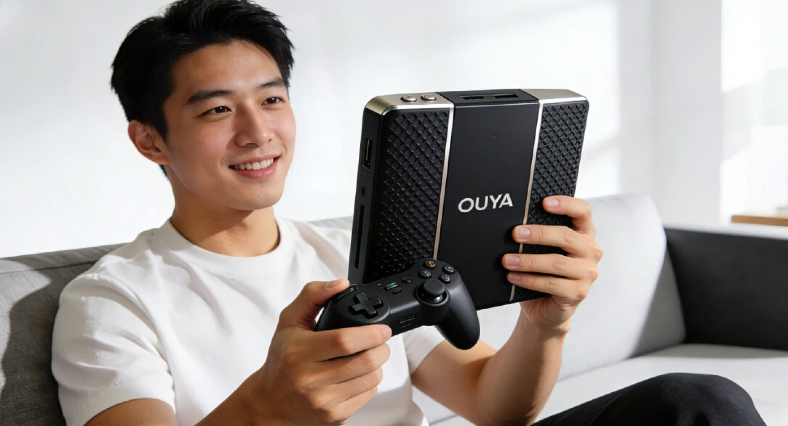
In 2012, the gaming world witnessed an ambitious experiment that would challenge the traditional console market. The Ouya, launched through a wildly successful Kickstarter campaign that raised over $8.5 million, represented a bold vision: an affordable, open-source gaming console built on the Android platform. This pioneering project promised to democratize game development and bring indie games to the living room, all at a fraction of the cost of traditional gaming consoles.
The Ouya was more than just hardware; it was a statement about the future of gaming. At a time when Xbox 360 and PlayStation 3 dominated the market with expensive proprietary systems, Ouya offered an alternative philosophy—openness, affordability, and accessibility. Every console doubled as a development kit, and the $99 price point made it an attractive proposition for curious gamers and developers alike.
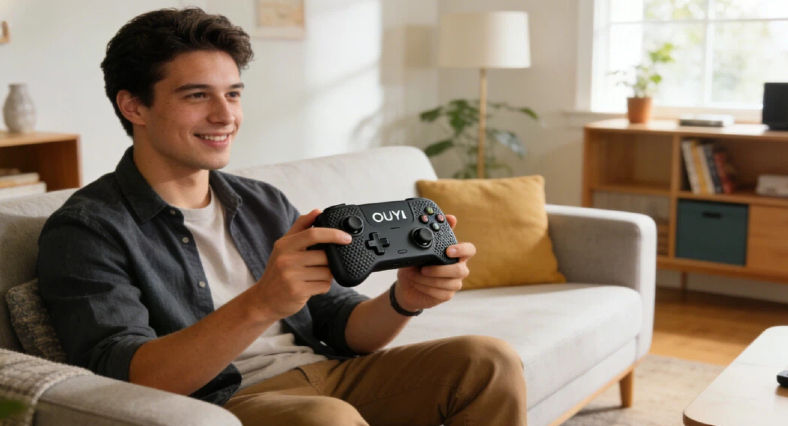
Central to the Ouya experience was its custom controller, designed specifically to bridge the gap between mobile gaming and traditional console experiences. Understanding the Ouya Controller is essential not just for nostalgic purposes, but because it represents an important chapter in gaming peripheral evolution. Its innovative features, particularly the inclusion of a touchpad before such interfaces became mainstream, showcase forward-thinking design that influenced subsequent controller development.
OUYA Gaming Essentials Collection
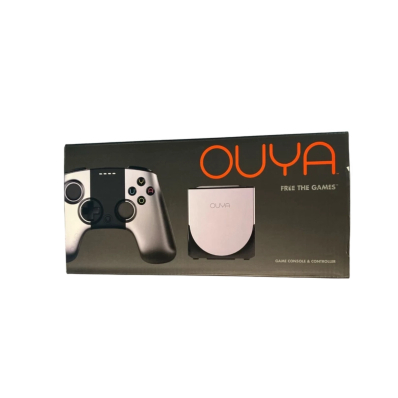
OUYA Silver Console with Controller, HDMI & Power Cord (Launch Edition)
Price: $149.99
Product Overview:
Step into the world of Android-powered gaming with the OUYA Silver Console Launch Edition, complete with its original controller, HDMI cable, and power cord — all securely packed in the original box. Designed for both creativity and entertainment, this compact console brings console-quality gaming to your TV in a stylish silver and black finish.
Key Features:
Experience smooth, high-definition gameplay powered by OUYA’s innovative Android platform. With 8GB of storage, HDMI connectivity, and a user-friendly interface, this console redefines what indie and retro gaming can be. Made in China and built for performance, it’s the perfect pick for collectors, developers, and players who value both function and form.
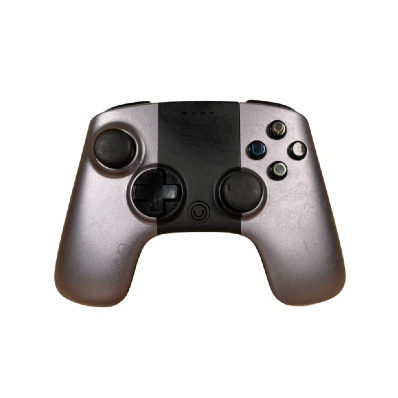
OUYA OGC1 Silver Black Wireless Bluetooth Gaming Controller
Price: $15.34
Product Overview:
Enhance your gaming experience with the OUYA OGC1 Wireless Bluetooth Controller, designed specifically for OUYA consoles. Featuring a sleek black and silver design, this ergonomic controller ensures responsive, wireless gameplay with intuitive controls — perfect for both casual sessions and intense challenges.
Key Features:
Built for reliability, the OUYA OGC1 pairs effortlessly via Bluetooth to deliver low-latency performance and precise control. With comfortable grips and solid construction, it’s ideal for gamers who demand both quality and portability. Fully compatible with all OUYA consoles and designed for single-player use, it’s the essential accessory for your OUYA setup.
Purpose and Scope of This Analysis
This comprehensive article aims to provide readers with an in-depth understanding of the Ouya Controller from multiple perspectives. Whether you’re a retro gaming enthusiast considering adding one to your collection, a developer interested in alternative input devices, or simply curious about this unique piece of gaming history, this guide offers valuable insights.
We’ll explore the controller’s design philosophy, technical specifications, compatibility across various platforms, real-world performance, and its current market positioning. Furthermore, we’ll address common issues users might encounter and provide practical solutions. By examining the Ouya Controller through both historical and contemporary lenses, we can better understand its practical value in today’s diverse gaming ecosystem and its significance as a collectible item.
Design and Build Quality
Overall Design Philosophy
The Ouya Controller embodies a design philosophy that prioritizes ergonomics without sacrificing aesthetic appeal. The controller’s shape follows natural hand contours, with gently curved grips that accommodate different hand sizes comfortably. Unlike some controllers that favor either large or small hands, the Ouya strikes a middle ground that proves surprisingly versatile during extended gaming sessions.
The aesthetic language speaks to modern minimalism, with clean lines and an understated elegance. The matte finish on the face plate contrasts beautifully with the glossy accents, creating visual interest without appearing busy. The aluminum faceplate, featuring the Ouya logo, adds a premium touch that elevates the controller beyond its budget price point. This design unity between the controller and the console itself demonstrates thoughtful product ecosystem planning—both share similar design DNA with their combination of angular and curved elements.
Distinctive design elements set the Ouya Controller apart from competitors. The raised shoulder buttons provide tactile landmarks for blind reaching, while the concave thumbstick caps offer excellent grip without being aggressive. The button layout, though familiar in arrangement, features a subtle bowl-shaped depression that naturally guides your thumb to the correct positions.
Materials and Construction
The Ouya Controller utilizes a combination of materials chosen to balance cost, durability, and feel. The main body consists of ABS plastic with a textured matte finish that resists fingerprints and provides a secure grip. While not as premium as the soft-touch rubberized coatings found on high-end controllers, the material choice proves practical and durable over time. The aforementioned aluminum faceplate adds structural rigidity and a touch of luxury.
Button quality represents one of the controller’s more controversial aspects. The face buttons (O, U, Y, A—a playful riff on the console’s name) provide decent tactile feedback with a satisfying click, though they lack the precision and responsiveness found in Microsoft or Sony offerings. The membrane switches beneath feel somewhat mushy compared to the crisp action of premium controllers. However, they remain functional and reliable for most gaming scenarios.
The analog sticks deserve special mention. These utilize Hall effect sensors for drift-free operation—a feature that was ahead of its time in 2013 and has only recently become a selling point for modern controllers. The sticks themselves offer smooth, consistent resistance throughout their range of motion, though some users report they feel slightly loose compared to Xbox 360 thumbsticks.
Overall manufacturing quality sits firmly in the “acceptable” range. The controller feels solid in hand with no creaking or flexing during normal use. However, the seam lines where plastic pieces join show slight irregularities, and some units exhibit minor button misalignment. These imperfections reflect the reality of budget manufacturing but don’t typically impact functionality.
Dimensions and Weight
The Ouya Controller measures approximately 155mm in width, 105mm in height, and 62mm in depth, placing it squarely in the mid-size category for gaming controllers. When compared to an Xbox One controller (154mm × 107mm × 60mm), the dimensions are remarkably similar, though the Ouya feels slightly more compact due to its curved profile.
Weight-wise, the controller tips the scales at approximately 275 grams with batteries installed. This makes it heavier than the PlayStation 4 controller (210 grams) but lighter than the Xbox One controller with batteries (320 grams). The weight distribution favors a slight forward bias, which some users appreciate as it makes the controller feel more planted during intense gaming sessions.
Long-term comfort assessment reveals mixed results. The controller’s moderate weight prevents arm fatigue during marathon gaming sessions, and the ergonomic grip design distributes pressure evenly across the palms. However, the slightly wider stance of the analog sticks compared to PlayStation controllers may feel awkward for players with smaller hands. After several hours of continuous use, most testers report minimal hand cramping, though the textured grip surfaces can leave subtle impressions on sweaty palms during summer gaming sessions.
Core Features and Functionality
Button Layout and Configuration
The Ouya Controller employs a familiar button arrangement that will feel immediately intuitive to anyone who has used modern gaming controllers. The face buttons—labeled O, U, Y, and A in a clockwise pattern starting from the top—mirror the positions of Xbox controllers, making the transition seamless for most players. Each button measures 11mm in diameter with 2mm of travel distance, providing adequate tactile feedback for precise input.
The analog sticks occupy asymmetrical positions, with the left stick positioned higher than the right, following the Xbox convention rather than PlayStation’s symmetrical layout. This asymmetry suits FPS and action games particularly well, though fighting game enthusiasts often prefer symmetrical designs. Both sticks feature full 360-degree rotation with minimal dead zones, and their concave rubber caps prevent thumb slippage during intense gameplay moments.
Shoulder buttons and triggers represent one area where the Ouya diverges from premium controllers. The L1/R1 bumpers sit flush with the controller’s top surface, requiring a slightly different finger placement than the protruding bumpers found on Xbox controllers. The L2/R2 triggers offer analog input with approximately 8mm of travel, though they lack the progressive resistance that makes premium triggers feel so satisfying. They’re perfectly functional but won’t win any awards for refinement.
The D-pad utilizes a cross-shaped design with individual buttons rather than a rocking mechanism. While this approach works adequately for menu navigation, it lacks the precision required for fighting games or retro platformers where diagonal inputs matter. The buttons sit slightly recessed, requiring deliberate pressure to activate—a design choice that prevents accidental inputs but reduces responsiveness.
Special function keys round out the layout. The central Ouya button (home button) serves as the system button for accessing the main menu and managing game states. Most innovatively, this button houses a touchpad—a feature we’ll explore in detail next.
Touchpad Innovation
Perhaps the Ouya Controller’s most distinctive feature is its touchpad, integrated directly into the system button. This circular touchpad, approximately 15mm in diameter, represented cutting-edge thinking in 2013, predating the PlayStation 4’s DualShock 4 touchpad by several months and anticipating the Steam Controller’s dual touchpads.
The touchpad uses capacitive touch sensing technology, detecting finger position and movement across its surface. It supports single-touch input with reasonable accuracy, capable of distinguishing between taps, swipes, and holds. The sensitivity proves adequate for basic navigation tasks, though it lacks the precision and multi-touch capabilities of smartphone screens or the PS4 touchpad.
Practical applications for this touchpad emerged slowly as developers experimented with its possibilities. In theory, it could serve as a mouse replacement for Android apps, enable gesture-based game controls, or provide quick access to in-game menus. In practice, adoption remained limited. Most games ignored the touchpad entirely, defaulting to traditional button controls. A handful of titles implemented creative uses—some strategy games used it for camera control, while certain puzzle games incorporated swipe gestures—but these remained exceptions rather than the rule.
The touchpad’s placement on the home button creates an ergonomic challenge. Reaching it requires removing your right thumb from the face buttons or adjusting your grip, breaking the natural flow of gameplay. This accessibility issue likely contributed to developers’ reluctance to make it central to their control schemes. Additionally, the small surface area limits the complexity of gestures users can comfortably perform.
Comparing this implementation to traditional controllers highlights both its innovative spirit and practical limitations. Where conventional controllers might add extra buttons or paddles, Ouya chose to explore alternative input methods. While the execution fell short of revolutionary, the attempt to push controller design forward deserves recognition, especially considering Sony later validated the touchpad concept with more robust implementation in the DualShock 4.
Connectivity and Wireless Performance
The Ouya Controller employs Bluetooth 2.1 + EDR (Enhanced Data Rate) for wireless connectivity, a mature and reliable standard by 2013. This choice prioritized compatibility and power efficiency over the absolute lowest latency possible. The controller operates in the 2.4GHz frequency band, the same as most wireless routers and many other household devices.
Pairing the controller with the Ouya console proves remarkably straightforward. The process involves holding the system button until the LED begins flashing, at which point the console automatically detects and connects to the controller. The entire process typically completes in under 10 seconds. Once paired, the controller maintains its connection profile, automatically reconnecting when powered on within range of the console.
Connection stability generally impresses during typical use cases. The controller maintains a solid connection up to approximately 9 meters (30 feet) in clear line-of-sight conditions. Walls and other obstacles reduce this range predictably—expect reliable connectivity up to about 6 meters through typical interior walls. During testing, connection dropouts occurred rarely, typically only when the controller’s battery level dropped critically low or when significant interference was present.
Input latency represents a crucial metric for gaming controllers, and here the Ouya Controller delivers respectable but not exceptional performance. Independent testing suggests an average latency of approximately 16-20 milliseconds between button press and on-screen response. For comparison, Xbox One controllers achieve roughly 8-10ms latency via their proprietary wireless protocol, while generic Bluetooth controllers often exceed 30ms. The Ouya sits comfortably in the middle—responsive enough for most gaming genres but potentially limiting for competitive fighting games or rhythm games where every millisecond counts.
Signal interference from other 2.4GHz devices can impact performance. In environments with multiple WiFi networks, wireless speakers, or other Bluetooth devices, users might experience occasional stuttering or brief disconnections. The controller includes no advanced features like adaptive frequency hopping that premium controllers use to mitigate interference, making it more susceptible to crowded wireless environments.
Power and Battery Life
The Ouya Controller takes a refreshingly traditional approach to power: two standard AA batteries housed in a rear compartment accessed by sliding off a plastic cover. This design choice offers both advantages and disadvantages compared to integrated rechargeable batteries found in modern controllers.
Battery life varies significantly based on usage patterns, but expect approximately 25-30 hours of active gameplay on a fresh set of quality alkaline batteries. This assumes moderate rumble usage and typical Bluetooth connection scenarios. Heavy rumble usage can reduce this to roughly 20 hours, while completely disabling rumble might extend battery life beyond 35 hours. Compared to the PlayStation 4 controller’s 4-8 hour battery life or the Xbox One controller’s 30-40 hours with standard batteries, the Ouya performs adequately if unspectacularly.
The removable battery design means you can instantly swap in fresh batteries when power runs low, eliminating the downtime associated with charging integrated batteries. This flexibility particularly benefits marathon gaming sessions or situations where multiple players share a limited number of controllers. On the downside, you’ll need to maintain a supply of replacement batteries or invest in rechargeable AA batteries and a separate charger.
The battery compartment’s engineering could be better. The sliding cover feels slightly flimsy and prone to loosening over time. Some users report the cover falling off during intense gaming sessions, particularly during games that trigger aggressive rumble effects. The battery contacts inside the compartment occasionally develop corrosion, especially in humid environments, requiring periodic cleaning to maintain reliable power delivery.
One notable absence is any power-saving features beyond basic timeout. The controller doesn’t include adjustable auto-sleep timers or low-power modes, and the LED indicator provides only basic battery status information (solid light when good, flashing when low). More sophisticated power management could have extended battery life significantly.
Compatibility Across Platforms
Native Ouya Console Support
Unsurprisingly, the Ouya Controller performs best with its intended platform. The console recognizes controllers instantly, supports up to four simultaneously for local multiplayer, and provides the most seamless experience overall. All controller features, including the touchpad, function as designed without requiring additional configuration.
Pairing additional controllers to the Ouya console follows the same simple process as the initial controller. Navigate to the settings menu, select “Pair Controller,” and follow the on-screen prompts while holding the system button on the new controller. The console automatically assigns player numbers indicated by LED patterns on the controller.
The Ouya ecosystem optimized games specifically for this controller, ensuring button mappings felt natural and all features worked correctly. This tight integration meant developers could confidently design control schemes knowing exactly how players would interact with their games. Unfortunately, with the Ouya platform discontinued since 2015, this optimized experience remains frozen in time, accessible only to those who still own functioning hardware.
PC Compatibility
Using the Ouya Controller on Windows PCs requires additional software but proves entirely feasible. Windows doesn’t natively recognize the controller, treating it as a generic Bluetooth input device without game controller functionality. Third-party drivers and mapping software bridge this gap.
The most reliable solution involves using a combination of tools: first, standard Windows Bluetooth drivers to establish the connection, then mapping software like “Ouya Controller Driver” (a community-created tool) or more universal solutions like reWASD or JoyToKey to translate controller inputs into recognizable commands.
Installation process:
- Enable Bluetooth on your PC and set it to discoverable mode
- Put the Ouya Controller into pairing mode by holding the system button until the LED flashes
- Select the controller from Windows’ Bluetooth device list (appears as “OUYA Game Controller”)
- Install driver software or mapping utility
- Configure button mappings to match your preferences or specific game requirements
Steam’s built-in controller configurator provides another excellent option. While Steam doesn’t automatically recognize the Ouya Controller, you can configure it as a generic gamepad through Steam’s Big Picture mode. This approach works particularly well for Steam games, offering per-game customization and automatic controller profile switching. However, non-Steam games require alternative solutions.
Compatibility success rates vary by game. Modern DirectInput-compatible games generally work well with proper configuration. Older games designed exclusively for XInput (Xbox controllers) require additional emulation layers like “x360ce” to function. Latency and responsiveness match the wireless performance described earlier—adequate for most gaming but potentially limiting for highly competitive scenarios.
Android Device Connectivity
Since the Ouya Controller was designed for an Android-based platform, you might expect excellent compatibility with Android smartphones and tablets. Reality proves more complicated. While the controller can pair with most modern Android devices, functional compatibility depends heavily on the specific device, Android version, and individual app support.
Pairing process mirrors connecting to a PC: enable Bluetooth on your Android device, put the controller in pairing mode, and select it from available devices. Most Android versions 4.1 and higher will recognize the controller as a generic gamepad.
Game compatibility represents the major hurdle. Many mobile games never implemented controller support, designed exclusively for touchscreen input. Among controller-compatible games, not all properly recognize the Ouya Controller’s button layout. You might encounter situations where buttons don’t map logically, or certain buttons don’t register at all.
Games explicitly designed for controller input—particularly premium titles, emulators, and cloud gaming services like Xbox Game Pass or GeForce NOW—tend to work reasonably well. Mapping tools like “Octopus” or “Panda Gamepad Pro” can force controller support in touch-only games by overlaying virtual touch inputs triggered by controller buttons, though results vary wildly in quality.
Practical usefulness for Android devices remains limited. If you already own a PlayStation or Xbox controller, those offer superior Android compatibility thanks to better recognition and wider game support. The Ouya Controller serves best as an affordable alternative if you already own one and want to experiment with mobile gaming, rather than as a primary purchase for Android gaming.
Other Platform Possibilities
Mac users can connect the Ouya Controller using similar approaches to Windows. macOS recognizes the controller as a generic Bluetooth device, but native game support remains inconsistent. Third-party mapping utilities like “Joystick Mapper” or “ControllerMate” provide configuration options. Mac’s more limited gaming library means fewer opportunities to use the controller regardless of technical compatibility.
Linux presents an interesting case. Various distributions handle Bluetooth gamepad support differently, but Ubuntu and its derivatives generally recognize the Ouya Controller through the Linux kernel’s joystick interface. Command-line tools like “jstest” help verify functionality and configure mappings. The active Linux gaming community has created numerous guides for optimizing Ouya Controller support, particularly for emulation purposes. Wine and Steam Play (Proton) generally support the controller adequately once properly configured.
Retro gaming enthusiasts have found creative uses for Ouya Controllers with single-board computers like Raspberry Pi. RetroPie and similar emulation platforms can recognize the controller, making it a budget-friendly option for building retro gaming systems. Configuration requires editing text files to map buttons correctly, but community-created configuration templates simplify this process significantly.
Real-World Gaming Performance
Genre-Specific Performance Analysis
Action-Adventure Games: The Ouya Controller performs admirably in action-adventure titles. The analog stick precision proves sufficient for platforming sequences, while the button layout supports complex action combinations. Games like “Shadowrun Returns” or “Broken Sword” feel natural and responsive. The controller’s moderate weight and comfortable grip support extended play sessions common in this genre.
Shooter Games: First-person and third-person shooters present a more mixed picture. The right analog stick provides adequate camera control, though not quite matching the precision of premium controllers. The analog triggers work functionally for aiming and shooting, but their linear resistance profile lacks the nuanced feedback that helps skilled players modulate their shots. Casual shooter experiences prove entirely playable, but competitive multiplayer scenarios reveal the controller’s limitations.
Fighting Games: Traditional fighting games highlight one of the controller’s weaknesses—the D-pad. The discrete button design makes diagonal inputs less precise than the rocker-style D-pads preferred by fighting game enthusiasts. Quarter-circle and dragon punch motions feel imprecise, with occasional accidental inputs disrupting combos. Casual players may not notice these issues, but anyone serious about fighting games will quickly seek alternatives.
Racing Games: Racing titles benefit from the analog triggers’ variable input, allowing smooth throttle and brake control. The controller’s weight and grip support the sustained analog stick input required for steering. Games like “Beach Buggy Racing” or “Asphalt 8” feel appropriately responsive. However, the lack of advanced features like adaptive triggers or precise haptic feedback found in modern controllers means you won’t experience the subtle feedback that enhances immersion in premium racing simulations.
Puzzle and Casual Games: This genre represents the Ouya Controller’s comfort zone. Puzzle games rarely demand frame-perfect inputs or pixel-perfect precision, playing to the controller’s strengths while avoiding its weaknesses. The touchpad, underutilized in other genres, occasionally finds purpose here for direct pointer control. Games like “Canabalt” or “Towerfall Ascension” feel perfectly at home with this controller.
Advantages and Strengths
The Ouya Controller’s ergonomic design genuinely deserves praise. The contoured grips and thoughtful weight distribution mean you can game comfortably for hours without significant hand fatigue. Many users report preferring its hand feel to the sharper angles of some contemporary controllers.
Innovation in touchpad integration, despite mixed implementation success, showed forward-thinking design philosophy. Ouya took risks trying to advance controller design rather than simply copying existing successful formulas. This willingness to experiment, even when the results proved imperfect, represents valuable contribution to gaming peripheral evolution.
Wireless connectivity provides the expected freedom of movement without frustrating connection issues. The reliable Bluetooth implementation means you won’t experience the constant reconnection problems that plague some budget wireless controllers.
Perhaps most significantly, the Ouya Controller offers remarkable value for its typical secondary market price (discussed in detail later). For users seeking an affordable backup controller or entry point into PC gaming, it provides functional performance that outpaces its modest cost.
Limitations and Criticisms
The touchpad’s practical utility never matched its innovative promise. Awkward ergonomics, limited developer support, and small surface area combined to render it mostly decorative. Few games implemented meaningful touchpad interactions, relegating this headline feature to curiosity status.
Button quality, particularly the mushy membrane switches, frustrates users accustomed to premium controllers. The lack of crisp tactile feedback affects gameplay feel, especially in games requiring rapid sequential inputs. While functional, the buttons simply don’t inspire confidence during intense gaming moments.
Compatibility limitations plague the controller outside its native ecosystem. The requirement for third-party software, inconsistent game support, and configuration complexity create friction that turns potential users away. A controller should “just work” across platforms—the Ouya Controller requires patience and technical willingness that not everyone possesses.
Most fundamentally, the Ouya ecosystem’s termination casts a long shadow over the controller. No official support, no firmware updates, no warranty service—you’re buying an orphaned product. This reality affects both practical usability (unfixed bugs remain unfixed forever) and peace of mind (hardware failures mean limited repair options).
Market Position and Pricing
Original Launch Pricing Strategy
When the Ouya launched in 2013, the controller retailed separately for $49.99, with each console including one controller in the $99.99 bundle. This aggressive pricing positioned the controller competitively against established players—Xbox 360 controllers sold for $40-$50, while PS3 controllers ran $50-$60. The Ouya Controller’s comparable pricing suggested confidence in its value proposition despite coming from an unproven manufacturer.
The pricing strategy reflected broader market dynamics. By 2013, wireless controllers had become standard expectations rather than premium features. Ouya couldn’t command premium pricing, nor did it want to—the entire brand philosophy emphasized affordability and accessibility. Positioning the controller at near-parity with established competitors signaled that Ouya offered legitimate alternatives rather than budget compromise products.
During its active sales period (2013-2015), Ouya experimented with various promotions. Multi-controller bundles offered slight discounts, while periodic sales dropped prices to $39.99. These promotions never achieved massive success, partly because the limited Ouya game library meant most users needed only one or two controllers maximum.
Current Secondary Market Status
Today’s secondary market reveals drastically reduced pricing. Individual Ouya Controllers typically sell for $10-$25 on platforms like eBay, Mercari, or local marketplaces, depending on condition and whether batteries or original packaging are included. Complete-in-box controllers in excellent condition might fetch $30, while loose, heavily used units sometimes go for under $10.
Purchasing channels primarily consist of online marketplaces and local classified ads. Dedicated retro gaming stores occasionally stock Ouya controllers, though availability varies dramatically by region. Online options generally provide wider selection and more competitive pricing, though buying locally eliminates shipping costs and allows physical inspection before purchase.
Inventory patterns reflect the Ouya’s abbreviated commercial lifespan. The platform sold roughly 200,000 units during its active period, meaning approximately 200,000-400,000 controllers entered circulation (accounting for separate controller sales and multi-controller bundles). This limited production run means inventory isn’t flooding the market, but neither is it scarce enough to command premium pricing. Most available units come from failed Ouya owners liquidating their hardware after the platform’s collapse.
Condition varies widely in secondary markets. Some controllers remain unused in original packaging, reflecting purchases from disappointed early adopters who never engaged with the platform. Others show heavy wear from years of use. When shopping secondary markets, carefully examine photos for button wear, stick damage, and housing cracks. Request testing videos if buying online to confirm full functionality.
Value Proposition Assessment
At current secondary market prices ($10-$25), the Ouya Controller presents interesting value for specific use cases. As a budget PC gaming controller for casual players, it offers legitimate functionality at remarkable affordability. Users building retro gaming systems or experimenting with Android gaming might find it perfectly adequate for their needs.
Compared to new Xbox Series or PlayStation 5 controllers ($60-$70), the Ouya Controller sacrifices build quality, features, and compatibility but costs a fraction of the price. Compared to generic budget controllers ($15-$30), it offers comparable functionality with unique design aesthetics and slightly better ergonomics.
Ideal buyers include:
- Retro gaming enthusiasts building period-appropriate Ouya setups
- Budget-conscious PC gamers needing basic controller functionality
- Collectors interested in gaming history and failed platform artifacts
- Tinkerers who enjoy configuring and optimizing hardware
Buyers should avoid if:
- You need plug-and-play compatibility across multiple platforms
- Your primary use case involves competitive gaming requiring minimal latency
- You prefer consistent manufacturer support and warranty coverage
- You’re seeking a primary controller for modern console gaming
The value calculation ultimately depends on your expectations. If you approach the Ouya Controller understanding its limitations and prepared to invest configuration time, $15-$20 represents excellent value for a functional wireless controller with legitimate ergonomic merit. If you expect modern controller features and seamless compatibility, even $10 might feel overpriced.
Troubleshooting Common Issues
Connection and Pairing Problems
“Controller won’t enter pairing mode”: This common issue usually stems from depleted batteries or corroded battery contacts. First, try fresh batteries. If that fails, remove batteries and clean the metal contacts with isopropyl alcohol and a cotton swab. Stubborn corrosion might require gentle scraping with a plastic tool. As a last resort, rapidly pressing the system button 10-15 times sometimes resets internal pairing logic.
“Device pairs but doesn’t stay connected”: Connection instability typically indicates either weak batteries, wireless interference, or distance issues. Replace batteries first, even if they seem to work initially—weak batteries often cause connection drops. Move closer to the host device, ensuring clear line of sight. Disable other nearby Bluetooth devices temporarily to identify interference sources. If problems persist, delete the controller from paired device lists on all devices, then pair fresh as if connecting for the first time.
“Multiple controllers interfere with each other”: When using multiple Ouya Controllers simultaneously, ensure each completes pairing individually before powering on the next. Turning on all controllers simultaneously can confuse host devices, causing assignment errors. The controller LEDs indicate player numbers—verify each controller shows the correct LED pattern.
“PC won’t recognize controller”: Ensure Windows’ Bluetooth drivers are current—outdated drivers frequently cause recognition failures. Windows 10 and 11 handle Bluetooth controllers better than Windows 7. Try different USB Bluetooth adapters if you’re using external dongles; some cheap adapters lack proper Bluetooth HID profile support. As a workaround, specialized software like “BthPS3” can force recognition by emulating different controller profiles.
Button and Input Malfunctions
“Buttons feel sticky or unresponsive”: This symptom indicates debris or liquid contamination inside the controller. Disassemble the controller by removing screws from the battery compartment and carefully separating the housing halves. Clean button contacts with isopropyl alcohol on a cotton swab. For sticky buttons, gently clean around button stems where they pass through the housing. Allow complete drying before reassembly.
“Analog stick drift”: Unlike modern controllers plagued by potentiometer drift, Ouya Controllers use Hall effect sensors less prone to wear-based drift. If drift occurs, it likely indicates mechanical damage or interference. Try recalibrating through your host device’s controller settings. Physical damage to stick mechanisms requires component-level repair beyond most users’ capabilities.
“Unresponsive touchpad”: The touchpad’s capacitive sensor occasionally requires recalibration. No official calibration tool exists for the Ouya Controller, but some third-party PC software includes touchpad calibration features. If the touchpad never worked properly, it might have manufacturing defects—these units existed in limited numbers during production.
“Triggers don’t register full range”: Analog trigger issues usually stem from miscalibration in driver software rather than hardware problems. When configuring controller mapping software, ensure you’re setting appropriate trigger dead zones and maximum values. Some mapping software assumes digital triggers by default; explicitly configure analog trigger support.
Software and Driver Complications
“Windows detects controller but games don’t respond”: This indicates the controller connects at the system level but lacks proper game controller drivers. Install “ViGEmBus” driver, which provides virtual Xbox controller emulation. Configure mapping software to output XInput signals (Xbox-style) rather than DirectInput. Most modern games expect XInput, making this translation essential.
“Controller works with some games but not others”: Game-specific compatibility varies based on how games implement controller support. Create custom profiles in your mapping software for problematic games. Steam’s controller configurator allows game-specific profiles that automatically load when launching titles. For non-Steam games, add them to your Steam library as external games to leverage this functionality.
“Input lag feels excessive”: While some latency is inherent to Bluetooth controllers, excessive lag suggests configuration issues. Disable any unnecessary system processes that might interfere with input processing. Reduce Bluetooth audio usage while gaming—audio streaming can monopolize bandwidth. Use wired controllers for competitive gaming where every millisecond matters.
Third-party driver recommendations:
- x360ce: Emulates Xbox 360 controller, widely compatible
- reWASD: Premium mapping software with extensive customization
- JoyToKey: Simple button-to-keyboard mapping solution
- Antimicro: Open-source mapping tool with active community support
Common error messages typically relate to missing drivers or incorrect configuration. Search error codes online along with “Ouya Controller” to find community solutions—the retro gaming community has extensively documented fixes for most issues.
Competitive Comparison
Xbox Controller Comparison
Xbox controllers represent the gold standard against which all PC gaming controllers are measured. Comparing the Ouya Controller reveals instructive contrasts.
Design differences start with build quality. Xbox controllers feature premium materials, tighter manufacturing tolerances, and superior button feel. The asymmetrical stick layout matches the Ouya, but Xbox sticks offer more precise centering and smoother resistance profiles. Xbox triggers provide progressive resistance that gives tactile feedback as you pull, while Ouya triggers feel linear and somewhat lifeless.
Functionally, Xbox controllers enjoy massive advantages in compatibility and support. They work natively with Windows without additional software, and virtually every PC game with controller support is optimized for Xbox layouts. The Ouya Controller requires configuration hassles and never achieves the same seamless experience.
However, the Ouya Controller costs a fraction of current Xbox controller prices ($60-$70 new, $30-$40 used). For users who need basic controller functionality and don’t mind configuration work, the Ouya offers 70% of the experience at 25% of the cost. Xbox controllers serve better as primary controllers for serious gaming, while Ouya Controllers work adequately as budget alternatives or backup options.
PlayStation Controller Comparison
PlayStation DualShock and DualSense controllers bring different strengths and weaknesses to the comparison. The symmetrical stick layout feels distinctly different from the Ouya’s asymmetrical design—neither is objectively superior, but personal preference runs strong. Players who grew up with PlayStation tend to prefer symmetrical layouts for all game genres.
Build quality and features favor PlayStation controllers substantially. The DualShock 4 introduced a meaningful touchpad implementation that actually saw game support, contrasting with the Ouya touchpad’s theoretical potential. DualSense controllers add advanced haptics and adaptive triggers that create immersive feedback the Ouya Controller can’t approach.
Price and compatibility considerations mirror the Xbox comparison. PlayStation controllers cost more ($60-$70 for DualShock 4, $70-$75 for DualSense) but offer premium experiences. Steam supports PlayStation controllers well through Big Picture mode, though compatibility outside Steam requires third-party software—similar to the Ouya’s situation but with more mature solutions available.
For users deciding between used PlayStation controllers and Ouya Controllers at similar price points, PlayStation controllers generally offer better value thanks to wider game support and superior build quality. The Ouya Controller’s main advantage becomes pure economics when found at significant discounts.
Android Gaming Controller Comparison
Comparing the Ouya Controller to dedicated Android gaming controllers like the Razer Kishi, GameSir series, or 8BitDo controllers reveals how the mobile gaming accessory market evolved after Ouya’s demise.
Modern Android controllers fall into several categories: clip-on controllers that attach to phones, telescoping controllers that grip phones between controller halves, and standalone Bluetooth controllers similar to the Ouya. Each design addresses different use cases and preferences.
The Ouya Controller’s standalone Bluetooth design offers flexibility—you can position your phone or tablet separately from the controller, reducing weight and strain. However, modern Android controllers implement more sophisticated pairing and compatibility, often working across Android, iOS, PC, and even consoles. The 8BitDo Pro 2, for example, switches between multiple platform profiles, something the Ouya Controller never imagined.
Gaming capability comparisons show the Ouya Controller holding its own in basic functionality but lacking modern refinements. Contemporary Android controllers often include programmable buttons, multiple connectivity modes (Bluetooth and USB), and official support for cloud gaming services. These features justify their typically higher prices ($30-$80) compared to secondary market Ouya Controllers.
For dedicated Android gaming, purpose-built modern controllers provide better experiences. However, if you already own an Ouya Controller and occasionally want to use it with your Android device, it serves adequately for casual gaming without additional investment.
Collectibility and Nostalgia Value
Historical Significance in Gaming
The Ouya project represents a pivotal moment in gaming history, even if its commercial performance disappointed. It arrived at a fascinating crossroads: the beginning of widespread crowdfunding for hardware projects, the height of enthusiasm for Android gaming, and growing frustration with traditional console manufacturers’ closed ecosystems.
As one of the earliest massively successful Kickstarter campaigns, Ouya demonstrated that crowdfunding could fund hardware development at impressive scales. Its $8.5 million raise from nearly 64,000 backers proved that substantial markets existed for alternative gaming approaches. While the platform ultimately failed, it validated concepts that later succeeded—the Nintendo Switch’s portability and indie focus, for instance, shares some DNA with Ouya’s vision.
The Ouya pioneered Android gaming in the living room before Android TV became standardized. Its attempts to bring mobile gaming to televisions, create developer-friendly open platforms, and challenge hardware profitability models influenced subsequent thinking about console design and business models. Valve’s Steam Machines, NVIDIA’s Shield TV, and various retro gaming devices owe indirect debts to lessons learned from Ouya’s experiment.
For the crowdfunding industry, Ouya serves as a cautionary tale about overpromising and the challenges of hardware manufacturing. Many subsequent campaigns reference Ouya when discussing realistic goal-setting and manufacturing complexities. In this sense, Ouya’s failures taught valuable lessons that benefited later projects.
The controller itself represents interesting industrial design history. Its touchpad implementation preceded similar features becoming standard. Its Hall effect analog sticks used technology that only recently became a mainstream selling point for controllers marketed as “drift-free.” Studying the Ouya Controller reveals how innovative features sometimes arrive before the market is ready to appreciate them.
Collectibility Analysis
From a pure collecting perspective, Ouya hardware occupies an interesting niche. It’s not rare enough to command premium prices—approximately 200,000 units sold means reasonable availability. However, it’s not common enough to be worthless—the limited production run and discontinued status create modest scarcity.
Current market values for sealed, complete Ouya Controllers hover around $40-$60, roughly 80-120% of original retail prices. This modest appreciation reflects collector interest without suggesting imminent explosive value growth. Loose controllers in good condition sell for $15-$25, barely above practical use value.
Preservation concerns remain minimal. The controllers use standard electronic components without rare or failure-prone parts. Battery-powered design means no internal rechargeable batteries that degrade over time. Properly stored controllers should remain functional for decades. The main preservation challenge involves keeping original packaging and documentation, which many early buyers discarded.
Collector demographics tend toward nostalgia-driven gaming enthusiasts in their 30s-40s who remember the Ouya’s launch excitement, retro gaming collectors seeking comprehensive platform collections, and crowdfunding history enthusiasts documenting the phenomenon’s evolution. The controller appeals to these audiences as an affordable entry point for Ouya collecting without requiring the complete console.
Investment potential appears limited. Gaming peripheral collecting generally focuses on historically significant, exceptionally rare, or aesthetically distinctive items. The Ouya Controller checks the “historically significant” box but lacks rarity and doesn’t particularly stand out aesthetically. Expect modest, inflation-matching appreciation over decades rather than explosive value growth.
Certain variants might command premiums in the future. Limited edition colors or promotional versions distributed at gaming events or to Kickstarter backers at specific tiers could develop collector premiums as they become harder to find. Standard retail controllers likely remain abundant relative to collector demand for the foreseeable future.
Future value predictions suggest stability rather than dramatic movement. In 10-20 years, sealed controllers might reach $75-$100 as nostalgia intensifies and remaining sealed units decrease. Loose controllers probably remain under $30 unless the retro gaming boom intensifies dramatically. The Ouya Controller seems destined to be an affordable collectible rather than a valuable investment piece.
For current collectors, the advice is simple: buy what interests you at prices that feel reasonable, not as investment speculation. The Ouya Controller’s value lies primarily in its story and place in gaming history rather than monetary appreciation. Enjoy it for what it represents—a bold experiment that dared to challenge the establishment, even if it ultimately fell short.